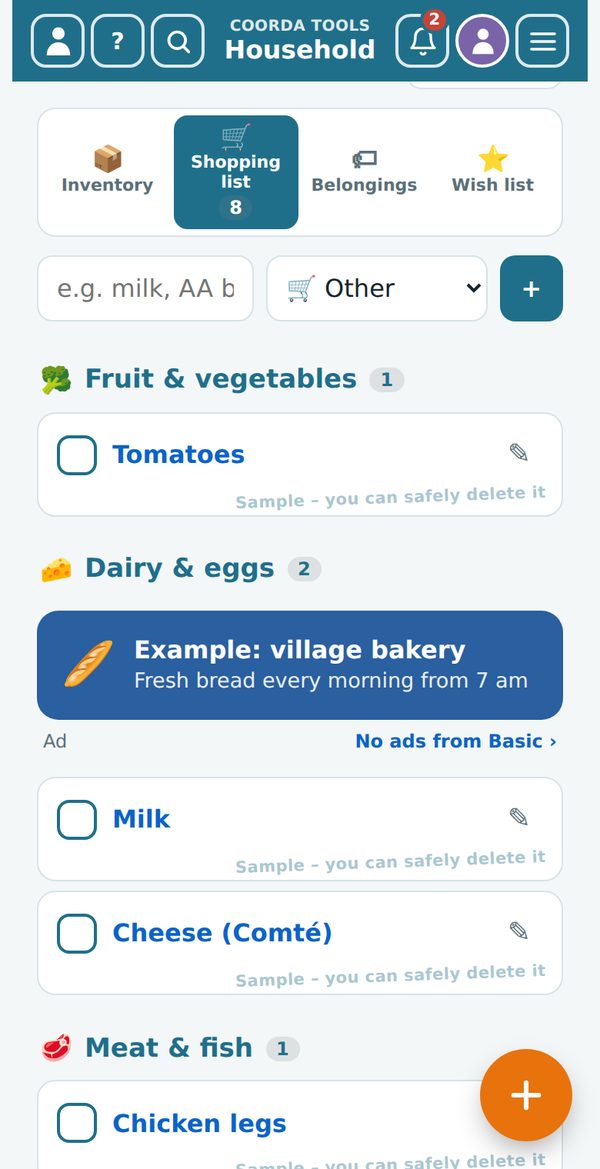
You know the scene: one of you is in the shop, the other has just noticed at home that the olive oil is gone – and the message arrives too late. With the shopping list in coorda tools everyone writes in the same list. Whatever is added shows up for the other person at once, including what is already in the trolley.
How to share the shopping list
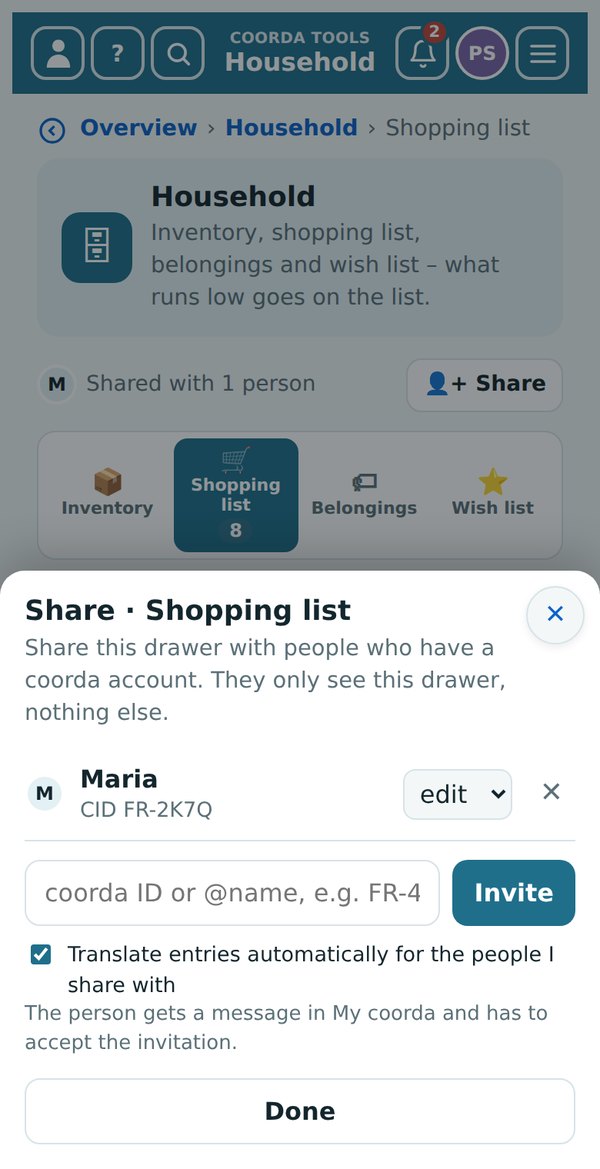
- Open Household › Shopping list.
- Under the title, tap “👤+ Share” and enter the person’s coorda ID, @name or e-mail address.
- They get a message in “My coorda” and accept the invitation – done.
Good to know
- Only this one drawer. Whoever sees your shopping list sees nothing else – no appointments, no notes, no contracts.
- In their own language. If you like, entries are translated automatically. Handy when the family lives in several countries.
- Sorted like your shop. The list arranges itself by groups – fruit & vegetables, dairy, meat – so you don’t walk the aisles three times.
- Your supplies think along. Whatever drops below its minimum in the inventory lands on the list by itself.
Sharing needs a free coorda account. But you can try the shopping list right now – 14 days without an account, directly in your browser.
 1997: When the internet came to Sainte-Croix-en-Bresse
 aleae: half a century of ideas – and a new guest village for Southern Europe